Digital products and selling
A digital-product preview needs to do two things at once: help a person understand what they are buying without becoming a convenient replacement for the final download. Buyers need to see the design, scale, variants and package contents. Sellers need to keep a clean original and avoid turning a demonstration image into the only working version of the file.
There is no absolute technical protection against copying. A watermark, reduced size, frame or partial view can discourage unintended reuse, but none of them provides a complete guarantee. A more useful goal is an honest balance: show enough for a confident decision while keeping the original and buyer delivery separate from the images used for the listing.
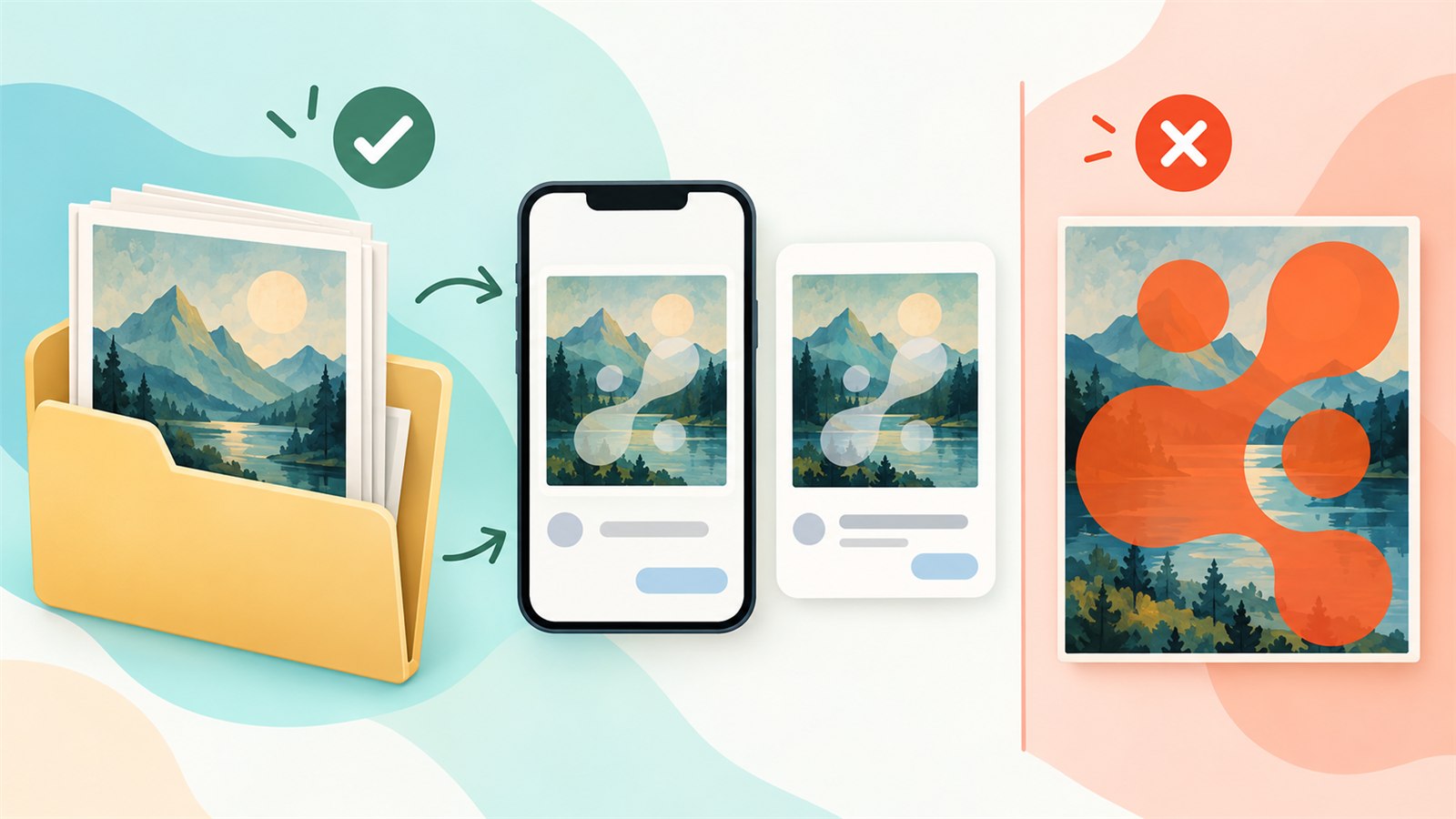
A preview shows the product in context while the original and buyer delivery remain separate files.
What a useful preview needs to explain
Before editing, decide what question each image answers. One image can show the overall design, another the detail, another the available variants and another the contents of the bundle or an example of use. Do not force everything into one crowded card.
For a digital planner, show a spread and a few individual pages. For an SVG bundle, show a selection of elements, a finished example and the file types included. For a printable template, show the page and what belongs in the download. Context helps a buyer assess the product without needing the complete source file at full usable form.
Good previews do not create a false impression. If an image includes a frame, background, printed material or decorative object, make it clear what is part of the digital delivery and what is only used for demonstration. Do not imply that a physical item is included if it is not.
Work from separate copies
Keep the originals separate. Build every preview from an export copy that can be cropped, reduced, placed on a background or given a watermark without risk to the buyer file. This is especially important for multi-page documents, editable templates and large bundles: one attractive listing image should never replace the source.
Clear names prevent version mix-ups. For example, wedding-invite-original, wedding-invite-preview-main and wedding-invite-preview-detail explain their purpose better than final, final2 and last. Keep the published preview set too. When a listing needs an update, you should be able to see what buyers have previously seen.
Choose how to show the design
Full view at a reduced size
A reduced full view can show overall composition well when key details do not become too small. It is useful for pages, posters and illustrations where the buyer needs to understand the whole piece. Check that the reduced version does not become practically equivalent to the downloadable original for its intended use.
A meaningful detail
A close crop can show line quality, style and important elements without revealing the complete template. It works well for detailed patterns, digital planners and graphic bundles. Choose a detail that tells the buyer something real; a random fragment that does not represent the product only creates uncertainty.
An example of use
A mock-up on a wall, tablet, package or product can help show scale and purpose. The context should not hide the actual digital material, though. A buyer still needs to understand the design, colours and content of the file itself.
A small image series
A sequence is often more useful than one “perfect” image. For example: overall view, close detail, bundle contents, colour variant and example of use. Keep the proportions, margins and style consistent so the listing feels like a coherent set rather than a group of unrelated images.
Watermarks, frames and partial views
A watermark can be appropriate when it does not prevent a buyer from judging the design. A very large, high-contrast or repeating mark often hides important lines and can make the listing feel less trustworthy. A smaller mark, a modest frame or a purposeful partial view may protect the presentation more calmly.
Do not treat a watermark as the only protection method. It may be cropped or removed, and it can conflict with a platform’s current image rules or make a mobile preview difficult to understand. Check the current requirements of the platform before publishing; image formats, main-image rules and recommendations can change.
If you show only part of a design, leave enough visible information for someone to judge its style and purpose. An overly hidden preview creates doubt rather than interest: the buyer cannot tell what they are paying for.
Check previews on a phone
Many decisions begin with a small thumbnail. Open the completed previews on a phone and ask a few direct questions: Is the product clear without zooming? Is the main detail visible? Can key text be read? Does a watermark hide the design? Is there too much empty space around the subject?
Review the entire series together. Different backgrounds, colour temperatures, margins or a mixture of photos and bright collages can make a listing feel disconnected. The images do not need to be identical; they need a shared visual principle.

A dependable path: preserve the original, create separate demonstration copies and review the finished series at mobile size.
Common preview problems and checks
| Problem | Likely cause | Practical check |
|---|---|---|
| A buyer cannot tell what the product includes | The preview shows only a styled example of use | Add a clear contents or file demonstration image |
| A watermark hides the design | The protection is too large or high contrast | Review the thumbnail on a phone and check key details |
| The preview looks like a usable original | A full file was displayed with no meaningful difference | Make a separate demonstration copy with a purposeful limitation |
| The series feels random | Proportions, margins and styles are inconsistent | Compare all thumbnails together and set a shared principle |
| A listing shows an old option | Published previews were not kept separately | Save clear export copies with a date or version |
What preview protection cannot promise
Do not promise that a watermark or smaller image will completely prevent copying. They are practical boundaries, not absolute protection. Do not promise that one preview series will suit every marketplace either. Image requirements, formats and main-image recommendations can change, so check the current requirements before publishing.
Focus on what you can control: store the original safely, explain what the product includes, prepare separate listing images and review them the way buyers will see them.
Frequently asked questions
Does every preview need a watermark?
No. It is one possible way to show that an image is a demonstration copy. If it makes the design hard to understand, use a different approach such as a partial view, a frame, a reduced copy or an example of use.
Can the same file be used for the product and the preview?
It is better not to. A separate copy protects the original from accidental crop, compression, watermarking and overwrite.
How many images should a digital product have?
Use as many as genuinely help a buyer understand the product without repetition. Show the overall design, key detail, contents or variants when they matter. Exact platform limits vary.
Why does a preview look fine on a computer but poor on a phone?
Fine detail, faint text and dense watermarks change dramatically at small size. Check exports on a phone and as thumbnails before publishing.
Can physical props be used in a preview?
They can provide scale and context, but do not let them hide the digital design or imply that a physical item is included when it is not.
Is reduced size enough protection?
It can limit practical use of a copy, but it is not absolute protection. Judge it together with preview clarity and safe storage of the original.
Next practical step
Choose one digital product and prepare four separate preview copies: an overall view, a close detail, bundle contents and an example of use. Open them on a phone, confirm that each answers a different question and store both the original and the published set separately.
Keep learning
Choose another practical guide or return to the tools for the next step.